Friday, May 09, 2008

The (drop)shadow-less PuTTY

The window without shadows
I have noticed (and this isn't a "Windows Vista" kinda thing, on XP happened the same) that if you use Y'z Shadow, to get the drop shadow effect, then the main window for PuTTY, the best SSH client for Windows, IMHO, does not produce any shadow beneath it.

It does "get" the shadows from any other windows that happen to be on top of it, but, like you can see on the screenshot, the PuTTY window doesn't cast any shadow on the desktop; or onto anything that happens to be beneath it.

This obviously doesn't affect the program at all, unless you are a raving drop shadow fetishist, and this does not affect the "terminal" windows with the actual SSH sessions at all, only PuTTY's main window.

Labels: , , , , ,

Saturday, June 29, 2019

Compton: Funky Double Shadow on Evolution menus


Started playing a bit with Compton, and I've noticed an annoying double shadow with the menus on Evolution (picture on the right).
To get rid of those, add this to the ~/.config/compton.conf file:

 "class_g ?= 'Evolution'",

On the shadow exclude options section of the configuration.
Close Evolution, restart Compton and start Evolution once again and the menus will have a proper drop shadow (picture on the left).
Be aware that after issuing this snip on the config file, you'll loose the drop shadow effect on all Evolution windows, but, IMHO, that's a small price to pay to get rid of that awful double shadow on menus.

Labels: , , , , , , ,

Wednesday, October 19, 2011

Updates dujour

Well, it looks like these ones really fucked up things...

2011-10-19 09:56:53 status installed man-db 2.5.7-2ubuntu1
2011-10-19 09:56:54 status installed desktop-file-utils 0.16-0ubuntu2
2011-10-19 09:56:54 status installed python-gmenu 2.30.0-0ubuntu4
2011-10-19 09:56:56 status installed python-support 1.0.4ubuntu1
2011-10-19 09:56:57 status installed apt-utils 0.7.25.3ubuntu9.8
2011-10-19 09:56:57 status installed apt-transport-https 0.7.25.3ubuntu9.8
2011-10-19 09:56:57 status installed libkrb5support0 1.8.1+dfsg-2ubuntu0.10
2011-10-19 09:56:57 status installed libk5crypto3 1.8.1+dfsg-2ubuntu0.10
2011-10-19 09:56:57 status installed libkrb5-3 1.8.1+dfsg-2ubuntu0.10
2011-10-19 09:56:58 status installed libgssapi-krb5-2 1.8.1+dfsg-2ubuntu0.10
2011-10-19 09:56:58 status installed byobu 2.68-0ubuntu1.2
2011-10-19 09:56:59 status installed libdevkit-power-gobject1 1:0.9.1-1ubuntu1
2011-10-19 09:56:59 status installed libupower-glib1 0.9.1-1ubuntu1
2011-10-19 09:57:00 status installed upower 0.9.1-1ubuntu1
2011-10-19 09:57:00 status installed xserver-common 2:1.7.6-2ubuntu7.8
2011-10-19 09:57:00 status installed xserver-xorg-core 2:1.7.6-2ubuntu7.8
2011-10-19 09:57:00 status installed desktopcouch 0.6.4-0ubuntu3.3
2011-10-19 09:57:01 status installed python-desktopcouch 0.6.4-0ubuntu3.3
2011-10-19 09:57:01 status installed python-central 0.6.15ubuntu1
2011-10-19 09:57:02 status installed python-desktopcouch-records 0.6.4-0ubuntu3.3
2011-10-19 09:57:02 status installed libc-bin 2.11.1-0ubuntu7.8
2011-10-19 09:57:02 status installed python-desktopcouch-records 0.6.4-0ubuntu3.3
2011-10-19 09:57:02 status installed python-central 0.6.15ubuntu1

After installing those and re-starting the X Window server (via login out & in once again) the Desktop Effects are kaput...
Not a biggie, in fact, the only one I miss it is the drop shadow effect, and mostly because I like to use border-less windows, which, IMHO, without a drop shadow effect look like shit.
Currently buried by work to get myself immersed onto this and get things resolved... It is affecting both Hercules as well as Sojourner and that is not strange since both lappies have ATI video cards.

Labels: , , , , , ,

Friday, April 25, 2008

Yz Shadow side benefit

I loved drop shadows ever since I first saw what it all that about, to me it is a natural thing, an extension, if you will, that really completes the whole "lightning effect" that all the GUIs have, except the very minimal ones, like Blackbox, which have a totally "flat" interface.

On Windows, the easiest way of achieving this was (until Aero) using Yz Shadow, a free program that was very, very popular when the XP boxes started to mimmick Os X to the max.

Found out another use for Yz Shadow, one that comes real handy, it allows to set it, so no window can get beneath the Taskbar; this is specially useful if you use the Taskbar on the top of your screen, which I do, even before I started to use Os X, I think it is far more practical up there on the screen.

Emacs on Windows has the tendency to open everytime on the top left portion of your screen, and, using the Taskbar on the top, I was forced to have to move it, a PITA, since the title bar was underneath the Taskbar, unless you use Win32WM.


Step one ladder down


Incidentally, to get to work Yz Shadow on Windows Vista, you must set the executable to run under "Windows XP compatibility", see here

Labels: , , , , ,

Thursday, October 15, 2009

Meta Composite


I'm testing Metacity's own composite engine on Tango.
It looks rather nice (I'm a sucker for the drop shadow effect, what can I say...) Noticed a thing, tho, after a reboot, you have to re-enable it in order to the Panels to have drop shadows once again.

Labels: , , , , ,

Saturday, May 04, 2019

Between Adapta & Numix

I've noticed that for the last couple of years there were only two GTK themes that I use, maybe for a little while, say, a week or so, switch to a different one, but, invariably, I go back to these two.
The themes are, of course, Numix and Adapta.
Obviously I love those pretty much, they even look amazing without any composite working, that is, even without the drop-shadow effect enabled both themes look slick, modern and kick ass.
Basically, if I want something warm, I go with Numix, and if I'm on the mood for a cooler, bluish theme, then Adapta; matter of fact, IMHO, Numix is like the new Human theme, another GTK theme that I used to love, way back when Ubuntu was famous for its Browns hues.

Labels: , , , , , ,

Saturday, March 15, 2014

Composite but not stupid

A little feature that comes really, really handy surfaced after the backporting/ updating of MATE the other day.
There is an option to enable the composite manager, and be able to, for instance, have my beloved drop shadow effect, but ITOH, to disable the dreadful creation of thumbnails when you circle thru windows with Alt + Tab, something that slowed the whole thing dramatically, to the point that, in the old GNOME 2, it became useless...
I was looking for an option to do this nearly five years ago...

So, I guess, change -and new- is good!

Labels: , , , , , ,

Saturday, October 08, 2011

RIP, Jobs


I would like to believe that right now he is having a blast with Flynn.
Telling jokes about window shopping and drop shadow effects.

Labels: , , , ,

Thursday, October 20, 2011

Updates dujour

Well, what you know? Todays updates (obviously the ones related to the X Server) fixed yesterday's glitches!
I'm out of flatland once again, and with pretty nice drop shadow effects once again.

2011-10-20 10:41:59 status installed tzdata 2011l-0ubuntu0.10.04
2011-10-20 10:42:05 status installed man-db 2.5.7-2ubuntu1
2011-10-20 10:42:06 status installed xserver-common 2:1.7.6-2ubuntu7.9
2011-10-20 10:42:06 status installed xserver-xorg-core 2:1.7.6-2ubuntu7.9

Labels: , , , , , , ,

Saturday, July 30, 2011

Compiz settings thru gconf-editor


There is a nice and easy way to modify the drop shadow effect (actually you can edit just about any Compiz Desktop Effect setting) without the need to install any extra program.

Simply start up gconf-editor and browse to: /apps/compiz/plugins

Here is a little screenshot of the settings and the result on Hercules as of today.

Labels: , , , , , , ,

Monday, November 02, 2009

More Post-install stuff

Set the Emacs key bindings globally on Gnome... A real must.

/usr/bin/gconftool-2 --set /desktop/gnome/interface/gtk_key_theme Emacs --type string

Enable the composite manager on Metacity, another must, this one has to be executed each time the box is rebooted, because, even tho the compositing is there, it looses the drop shadow effect for the Panels (the same thing happened on Jaunty as well).

/usr/bin/gconftool-2 --set /apps/metacity/general/compositing_manager --type bool true

Labels: , , , , , ,

Monday, April 02, 2012

Linux Mint 12 on the Dell Inspiron 1000


Installed it yesterday to give it a more run down spin than the last time, and mostly because I had the time =)
Of course, used the 32 bits version, got the CD size version, w/o the codecs, and booted from a USB key.
The specs of the lappie are nothing to write home about it, specially the RAM, only 512 MB shared with video.
Given the lousy hardware specs the Gnome session defaults to a "Fallback Mode", but, nevertheless the overall looks of the GUI are rather sexy; the only thing missing -at least to me- are the drop shadow effects.
Of course, this being Gnome 3, even tho I was on the Fallback mode they were quite a lot of thing that weren't customizable the way that were on Gnome 2... Mostly stupid things like removing the username from the top Panel, or trying to do the same to the Virtual Desktops applet from the lower Panel.

Labels: , , , , , ,

Sunday, April 14, 2019

The Current Debian Desktop

Been a while since I've posted a screenshot, so here it goes.
How things look at the Optiplex as of yesterday.
As usual, the lovely Numix icons, a long time companion of mine.
The window manager theme, Victory Med Dark, its been used because it offers better separation for the windows, since I'm not using an compositor and drop shadow effect.

Labels: , , , , , , ,

Sunday, June 28, 2009

Hello again Metacity

I have being playing a bit with the Window Managers on Tango.

My beloved Emerald theme Human Tiger has a problem, not the theme per se, but with Emerald, the drop shadow effect has a known bug, which is really, really annoying.

So I have tried a very nice Metacity theme called "The Beck Theme" this theme has no borders at all, it is very nice, but it looks sort of povera.
To get the rounded corners on the top of the window, edited the file:

'/usr/share/themes/The\ Beck\ Theme/metacity-1/metacity-theme-1.xml'

specifically the line that goes:

<!-- <frame_geometry name="normal" rounded_top_left="false" rounded_top_right="false" rounded_bottom_left="false" rounded_bottom_right="false"> -->
<frame_geometry name="normal" rounded_top_left="true" rounded_top_right="true" rounded_bottom_left="false" rounded_bottom_right="false">


In the end, or at least for the moment, I have switched to a regular Metacity theme, Clearlooks, but modified it to have almost no borders at all.
On the file:

'/usr/share/themes/Clearlooks/metacity-1/metacity-theme-1.xml'

I have setup the values from '4' to '1':

<distance name="left_width" value="1"/>
<distance name="right_width" value="1"/>
<distance name="bottom_height" value="1"/>
<distance name="left_titlebar_edge" value="1"/>
<distance name="right_titlebar_edge" value="1"/>

Uncompressed copy on Image Shack

Labels: , , , , , , ,

Monday, September 12, 2011

Bye bye NVIDIA


Got rid of the problems with NVIDIA on the new Sojourner, actually, I guess I will, since I haven't got any reboot it yet.

Removed the NVIDIA drivers, and then I've been able to start the Desktop Effects w/o any problem.

I'm not a particular fan of the Desktop Effects per se, but I do like (I'm like a junkie actually) the Drop Shadow effect, and I find that Metacity's composite engine is painfully slow when it comes to the most mundane of tasks, like window switching via Alt + Tab.

It is bye bye NVIDIA, but not hello ATI, at least for the moment, I think.

Labels: , , , , , ,

Tuesday, January 16, 2007

My little Os X86 adventure


Installed it on a Toshiba Satellite about a year ago.
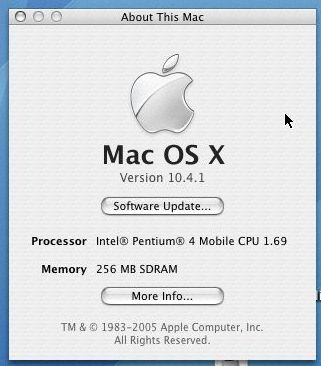
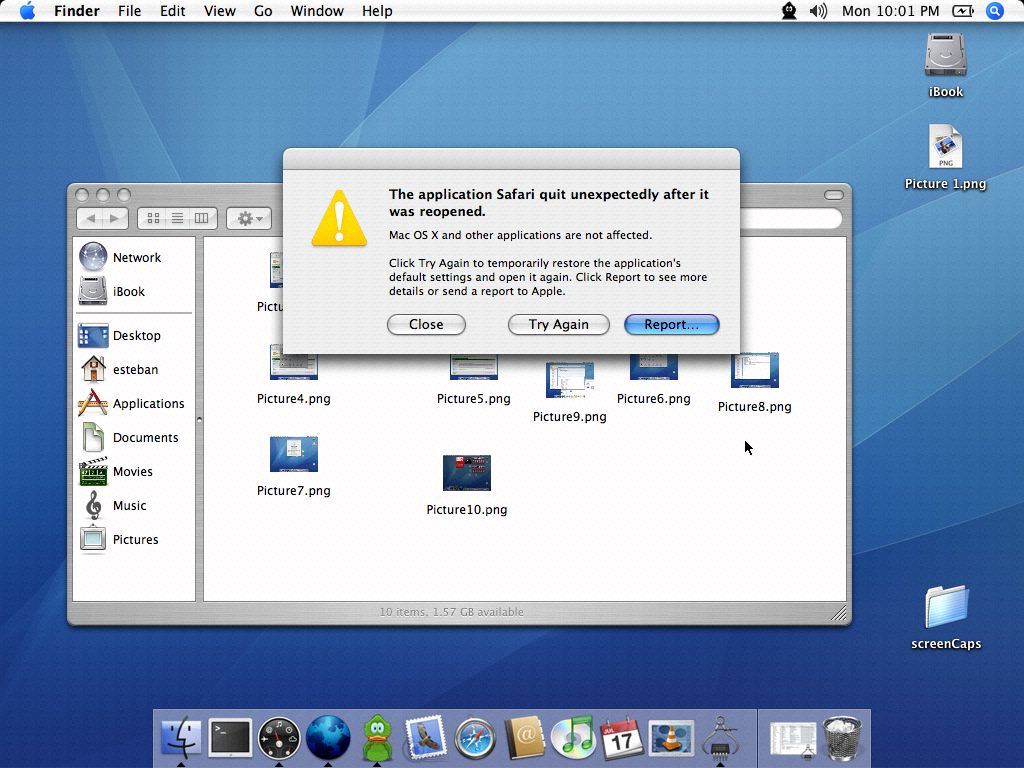
Nothing new here, the install was a piece of cake, but there were many things that did not work at all on Os X. The trackpad, for instance, a royal PITA. iTunes, DVD Player, Safari crashed a lot.
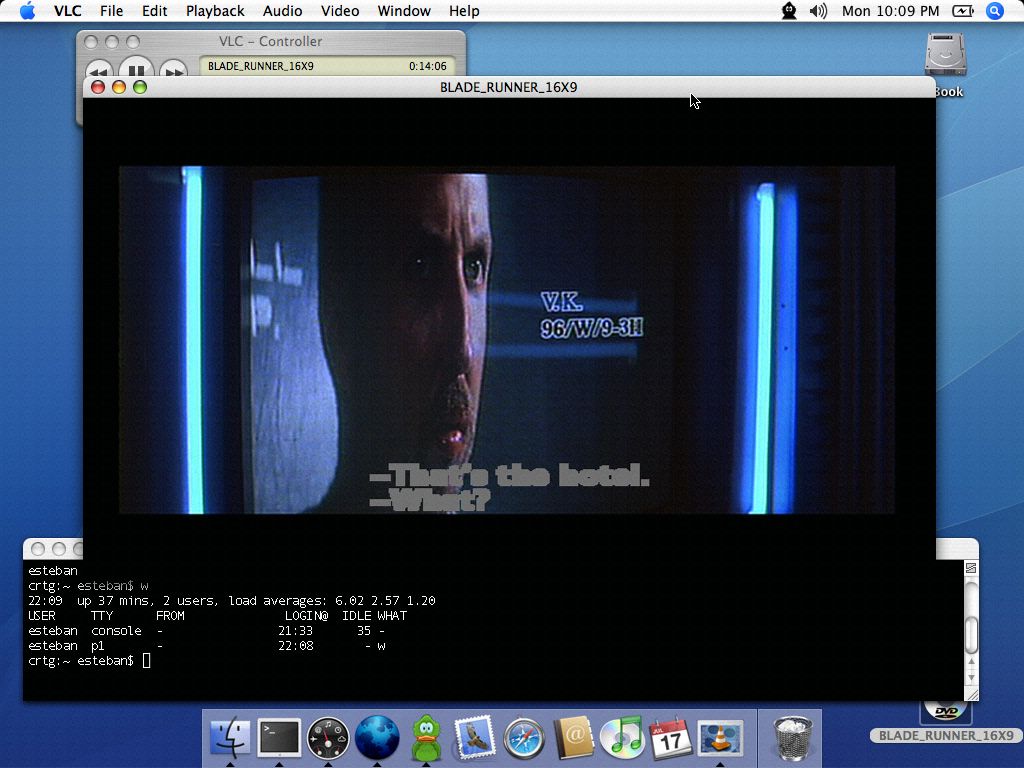
Playing a DVD on a special VLC version for Intel Os X sky rockets the load on the system.


There were some really annoying artifacts on some of the windows, caused by the "drop shadow" effect. Not much, really, but it does pull the whole thing down, IMHO.


Safari kept crashing like a champ, over and over, had to install a special Firefox version that was able to remain open for a longer time.


Yes, this was during the release of the first gen iPod Nano's.


The system load maxed out while playing a DVD, using a special version of VLC.

Labels: , , , ,

Thursday, July 22, 2010

Completely shadow-less

Well, decided to kill all the Desktop Effects.

As least for a while, totally cold turkey that is.
I don't use much of them anyways, but, but, but... The Drop Shadows are really, really missed in my desktop... That is the only Desktop Effect, actually, and, sort of related to that one, the ability to use a totally border-less window, which without shadow underneath, looks like crap (if not Scottish, its Crap!!).
So, right now I'm with borders and without shadows, so far, being using it like this for a couple of hours, I can do it just fine (the last time I tried didn't last more than a few minutes....)
I could use Metacity's own composite engine, but it blows g0at dick when you have to Alt - Tab with more than 6 windows open.
The theme is still Alliance, but since yesterday I've modified a little bit.

Labels: , , , , , , ,

Monday, May 23, 2016

The Case of The Missing Dropshadow on Cinnamon

I've noticed, right after installing Linux Mint Cinnamon (32 bits of course) on the T60 that there was a missing drip shadow effect on the topside of the windows.
This happened after installing, during the USB booted session all the drop shadows were there (see the screen shot on the link above), and the compare that with the screen shot on the right.
After making the update to Linux Mint 17.3 all the shadows are back and in place, see the screen shot on the left.

Labels: , , , , , , ,