Wednesday, July 17, 2019

Mind You, Buster!

It was time.
Today along the days chores got to replace the old, now unsupported, Linux Mint 17 XFCE installation on the old and trusty Acer TravelMate with a brand new and shiny Debian Buster install.
No problems with the install, did a really bare-bones one, nothing except SSH and Standard System Utilities.
i3 as the WM, VLC, Firefox and Transmission... the poor little lappie can't handle much else than that, and then some...

Labels: , , , , , , , , , , ,

Sunday, September 16, 2018

Sunday Kernel Crud Deletion Mode

Did a little house cleaning on the old and trusty Acer... About 1.5 GB of old kernels down the drain... Seems like I've forgotten about the old and sort of dependable lappie.

Reading package lists... Done
Building dependency tree       
Reading state information... Done
The following packages were automatically installed and are no longer required:
  linux-headers-3.13.0-153 linux-headers-3.13.0-153-generic
  linux-image-3.13.0-153-generic linux-image-extra-3.13.0-153-generic
Use 'apt-get autoremove' to remove them.
The following packages will be REMOVED:
  linux-headers-3.13.0-139* linux-headers-3.13.0-139-generic*
  linux-headers-3.13.0-141* linux-headers-3.13.0-141-generic*
  linux-headers-3.13.0-143* linux-headers-3.13.0-143-generic*
  linux-headers-3.13.0-144* linux-headers-3.13.0-144-generic*
  linux-headers-3.13.0-147* linux-headers-3.13.0-147-generic*
  linux-headers-3.13.0-149* linux-headers-3.13.0-149-generic*
  linux-headers-3.13.0-151* linux-headers-3.13.0-151-generic*
  linux-image-3.13.0-139-generic* linux-image-3.13.0-141-generic*
  linux-image-3.13.0-143-generic* linux-image-3.13.0-144-generic*
  linux-image-3.13.0-147-generic* linux-image-3.13.0-149-generic*
  linux-image-3.13.0-151-generic* linux-image-extra-3.13.0-139-generic*
  linux-image-extra-3.13.0-141-generic* linux-image-extra-3.13.0-143-generic*
  linux-image-extra-3.13.0-144-generic* linux-image-extra-3.13.0-147-generic*
  linux-image-extra-3.13.0-149-generic* linux-image-extra-3.13.0-151-generic*
0 upgraded, 0 newly installed, 28 to remove and 24 not upgraded.
After this operation, 1,575 MB disk space will be freed.
Do you want to continue? [Y/n] y

Labels: , , , , , ,

Monday, May 23, 2016

The Case of The Missing Dropshadow on Cinnamon

I've noticed, right after installing Linux Mint Cinnamon (32 bits of course) on the T60 that there was a missing drip shadow effect on the topside of the windows.
This happened after installing, during the USB booted session all the drop shadows were there (see the screen shot on the link above), and the compare that with the screen shot on the right.
After making the update to Linux Mint 17.3 all the shadows are back and in place, see the screen shot on the left.

Labels: , , , , , , ,

Saturday, May 21, 2016

OS Update For The GF

Well, she isn't Cherry 2000, so, actually the OS update it is for her laptops...
Taken last Sunday afternoon...
Side by side, both of the GF lappies, getting an OS update/ refreshment.
On the left, the T410, jumping from Linux Mint 17 (Cinnamon) to Ubuntu 16.04 (plain vanilla Unity).
On the right, the Lenovo N585, going from Window 10 to Windows 7, it looks like Windows 10 was way too much for the lappie. or maybe it was because she did an upgrade from Windows 8 (which already was a bit slow) to Windows 10.

Labels: , , , , , , , , , , , , , ,

Tuesday, May 17, 2016

Upgrades During The Weekend

Took last Sunday to make some changes on the GF lappies.
Her Windows lappie, the Lenovo N585) was dog slow, so I pulled the HDD out, slapped another one I had around the house, and loaded a brand spanking new Windows 7 onto it.
Also, took the T410 and replaced the Linux Mint 17 install with a brand spanking new of Xenail, wiht Unity!
She loved it the interface, go figure, and the Desktop Environment choice of colors, go figure...
Also, of course, she loves the fact that now can use the Jam Trance Mini bluetooth speakers with the lappie.
Installing and setting up the Linux lappie was a breezy, ITOH, the Windows...
MF, what a drag! It took hours and more hours and more hours to setup, install updates, get shit done... Not to mention countless effing reboots...
Anyways, anything for the GF!

Labels: , , , , , , , , , , , , , , , , ,

Wednesday, May 11, 2016

Linux Mint: Testing The Mint-Y Theme

So, I tested the newest Linux Mint theme on my beloved T430...
It looks like shit, but that's -I'm pretty sure of it- because I'm running versions from halcyon days...
The theme is available, as beta, of course, on its Github page: Linux Mint Mint-y-Theme

Labels: , , , , , , , ,

Friday, May 06, 2016

Stupid Old Hardware

Today I took about an hour to play with some old boxes that I still have lying around -more like hidden in closets- on the house, the all time beauty Quicksilver, the Powermac from halcyon (PPC) days and an ancient Celeron, or I don't know "what kind of crap CPU it has", but has 1 GB RAM, and a DVI NVIDIA video card, AKA: Zeus.

The idea was to see if they even boot, and if they do, try to test a lightweight Linux Mint XFCE (32 bits of course) on Zeus and Ubuntu Mate (PPC, of course) on the Quicksilver.

Zeus booted all-right to an Ubuntu 10.04, and the damned CD-ROM (remember those???) refused to work for quite a while, when it did, it was impossible to boot from it; go figure.
Gave it a try booting from a USB, but I had even less luck. With the Quicksilver I had no luck at all, impossible to make it boot from the CD-ROM, although, it did boot A Ok onto Tiger (remember that glorious OS?).

Total fail on this matter, but, ITOH, I don't know why I even bother, those boxes, specially Zeus, are a total a complete piece of crap, I should throw it to the garbage.
The Quicksilver is really beauty to look at, but both would make a terrible desktop experience nowadays.

Labels: , , , , , , , , ,

Sunday, November 15, 2015

Wireless HP Laserjet Professional P1100/ P1560/ P1600 on Linux Mint

So, I gave the GF the T410 about a week ago or so because we got together one year and also she can get a look at "Life On The Linux Side Of Things" (this time, it should be a better and longer deal than the last time we did this...)
Last night she asked me to setup her wireless printer on the T410... I don't have a printer, and I print hardly a page or two a year...
Luckily, it  turns out the thing was amazingly easy... Simply type on a Terminal:

sudo hp-setup

And then select "Network Ethernet / Wireless".
The installer ID'd the printer on her LAN, downloaded the driver, and that was that.

Labels: , , , , , , , ,

Tuesday, November 10, 2015

Skype: Esoteric, Quasi-medieval Icons

Got this strange icons on Skype the other day...
I swear I wasn't looking to mix iron onto gold while using Skye...

Labels: , , , ,

Thursday, April 02, 2015

Linux Mint 17: gvfs update wants to delete Cinnamon


Don't get this...
The Linux Mint's update process (I'm guessing that specifically the gvfs package is the responsible) wants to delete Cinnamon (and the Cinnamon Screen saver, as well)?
For the moment, I'm putting a hold on that particular update.

Labels: , , , ,

Monday, March 09, 2015

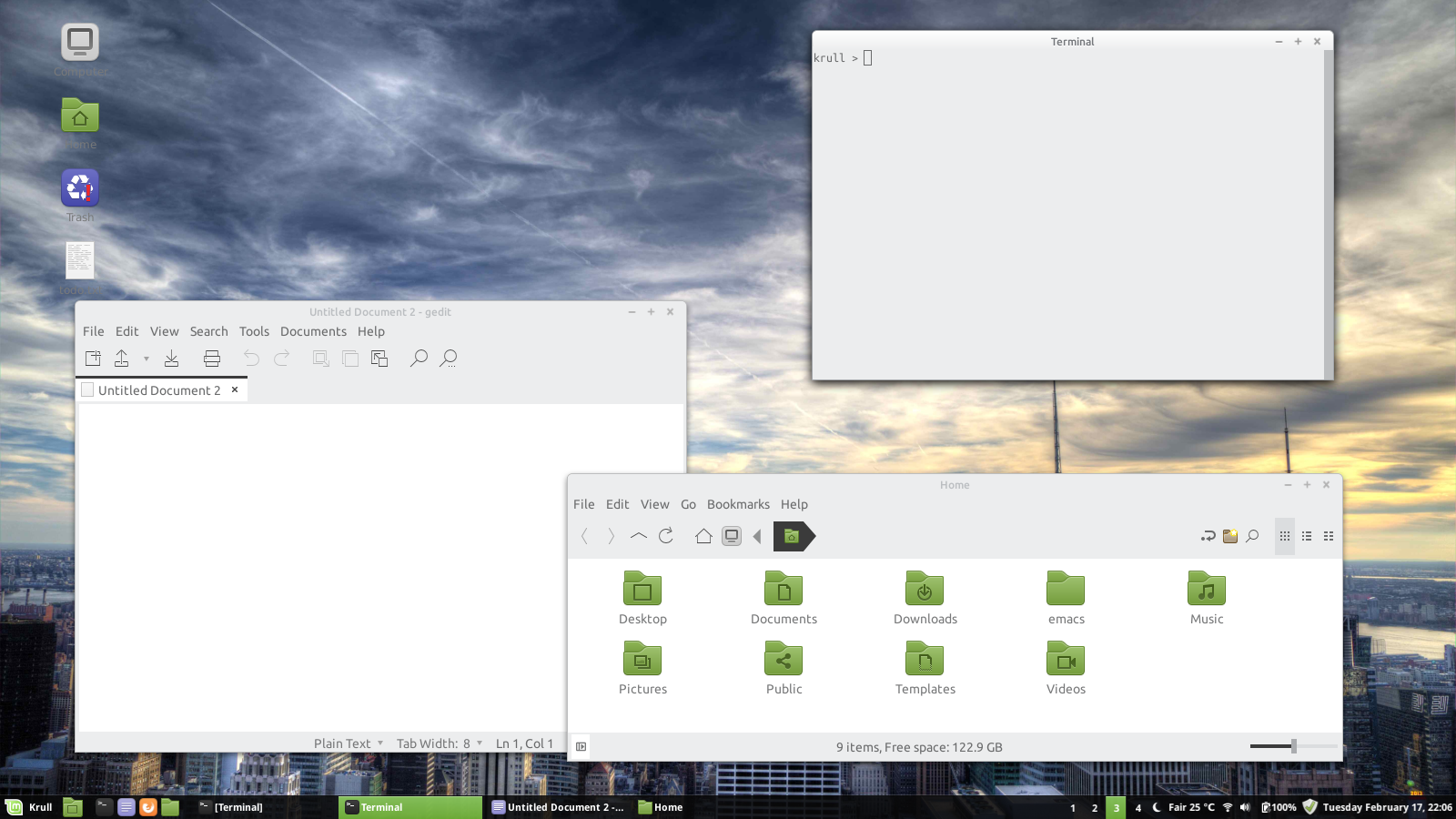
The current Linux Mint desktop

Time for another exciting Linux screenshot!
With the now famous combination of Moka Icons, the Color-UI and the New Minty Cinnamon theme.

Labels: , , , , , , , , ,

Saturday, February 28, 2015

The Fonts Of Youth

Last Thursday found out by chance a nice tip on how to get fonts on Linux the "right way".
I remember hacks like go back for something like a decade or so, always with mixed results, but this one seems to work rather well.
I've tested this on most of my lappies so far, they work A Ok, but they look specially amazing on the Thinkpad T430's screen.

Labels: , , , ,

Thursday, February 26, 2015

The current Linux Mint desktop

Quite a bit of changes since the last one.. The Cinnamon theme is New Minty, a classic around here, but the Window theme, the Metacity one, its a new one, a border-less theme called Adwaita-borderless.
The wallpaper, actually hoping for brutal autumn just around the corner, it is called "Summer Greets Autumn".

Labels: , , , , , , , , ,

Thursday, February 19, 2015

Backup Evolution Email By Hand

I have been an Evolution user for as long as I can remember...
One thing I've noticed is that the built-in backup tool gets worse and worse as time goes by... On the latest Evolution, the one on Linux Mint 17/ Ubuntu 14.04 LTS, the backup simply backups configuration files, the whole tgz file only has something like 2 MB in size, while I really have some serious shit load of emails and data...

So, it was time to do a and old fashion backup by hand on the thing...
This is the script I'm using...

#!/bin/sh
## --------------------------
## Copies all Evolution files to the Dillinger external USBD HDD
## --------------------------

## -----------------------------------------------------
## Kill all Evolution procs BEFORE executing this script
## -----------------------------------------------------

## https://help.gnome.org/users/evolution/stable/data-storage.html.en

## The user's data files
## ~/.local/share/evolution
## 27 MB

## Various configuration and state files
## ~/.config/evolution
## 4 MB

## Account settings
## ~/.config/evolution/sources
## 100KB

## Disposable data caches
## ~/.cache/evolution
## 4.6 GB

## Configuration settings in GSettings
## ~/.config/dconf
## 1.2 MB

## ~/.gconf/apps/evolution

RSYNC="/usr/bin/rsync"
RSYNC_FLAG_00="-avzr"
RSYNC_FLAG_01="--progress --delete"
LOG="/tmp/_sync.local.evo.log"

## -----------------------------------------------

echo "BEGIN user's data files... "

EVO_USER_DATA_FILES_SRC="/home/USER/.local/share/evolution/"
EVO_USER_DATA_FILES_DEST="/media/USER/Dillinger/Backups/home/USER/.local/share/evolution/"

cd ${EVO_USER_DATA_FILES_SRC}
${RSYNC} ${RSYNC_FLAG_00} ${RSYNC_FLAG_01} * ${EVO_USER_DATA_FILES_DEST} > ${LOG}

## -----------------------------------------------

echo "BEGIN Various configuration and state files... "

EVO_CONFIGURATION_STATE_FILES_SRC="/home/USER/.config/evolution/"
EVO_CONFIGURATION_STATE_FILES_DEST="/media/USER/Dillinger/Backups/home/USER/.config/evolution/"

cd ${EVO_CONFIGURATION_STATE_FILES_SRC}
${RSYNC} ${RSYNC_FLAG_00} ${RSYNC_FLAG_01} * ${EVO_CONFIGURATION_STATE_FILES_DEST} >> ${LOG}

## -----------------------------------------------

echo "BEGIN Account settings... "

EVO_ACCOUNT_SETTINGS_SRC="/home/USER/.config/evolution/sources/"
EVO_ACCOUNT_SETTINGS_DEST="/media/USER/Dillinger/Backups/home/USER/.config/evolution/sources/"

cd ${EVO_ACCOUNT_SETTINGS_SRC}
${RSYNC} ${RSYNC_FLAG_00} ${RSYNC_FLAG_01} * ${EVO_ACCOUNT_SETTINGS_DEST} >> ${LOG}

## -----------------------------------------------

echo "BEGIN Disposable data caches This one is BIG... "

EVO_DISPOSABLE_DATA_CACHE_SRC="/home/USER/.cache/evolution/"
EVO_DISPOSABLE_DATA_CACHE_DEST="/media/USER/Dillinger/Backups/home/USER/.cache/evolution/"

cd ${EVO_DISPOSABLE_DATA_CACHE_SRC}
${RSYNC} ${RSYNC_FLAG_00} ${RSYNC_FLAG_01} * ${EVO_DISPOSABLE_DATA_CACHE_DEST} >> ${LOG}

## -----------------------------------------------

echo "BEGIN Configuration settings in GSettings... "

EVO_CONFIGURATION_SETTINGS_GSETTINGS_SRC="/home/USER/.config/dconf/"
EVO_CONFIGURATION_SETTINGS_GSETTINGS_DEST="/media/USER/Dillinger/Backups/home/USER/.config/dconf/"

cd ${EVO_CONFIGURATION_SETTINGS_GSETTINGS_SRC}
${RSYNC} ${RSYNC_FLAG_00} ${RSYNC_FLAG_01} * ${EVO_CONFIGURATION_SETTINGS_GSETTINGS_DEST} >> ${LOG}

## -----------------------------------------------

# EoF #

Labels: , , , , ,

Tuesday, February 17, 2015

The current Linux Mint desktop

Wow and double wow!
I haven't posted a Linux screenshot in ages!
So here it goes...
Went flat this morning, running a nice theme called Color-UI, along with the Moka Icons, and the now classic New Minty Cinnamon theme.

Labels: , , , , , , ,

Sunday, February 08, 2015

Linux Mint 17 on the Lenovo N585


During the weekend installed Linux Mint (Cinnamon 64 bits) on the GF's lappie a Lenovo N585 with 6 GB of RAM... Windows wwas giving her ea lot of headaches lately, so, why not have another Linux converse in the world?
Being a Lenovo, it wasn't pretty hard, just about everything worked out of the box, the way it should.
Only thing was, after the installation -I made that booting from a USB- it refused to boot, belching an error about boot manager.
The problem: UEFI, the solution: boot onto the BIOS (press the F2 key upon booting), and disable that, by setting the Boot Mode onto Legacy Support.

Labels: , , , , , , , ,

Tuesday, October 21, 2014

Skype + Cinnamon: Mouse Cursor Shape Shenanigans

Cinnamon's own mouse pointer theme, accessed thru System Settings > Themes > Other settings > Mouse Pointer, it is the de facto way of setting those the way that you want it.
No matter if you edit the file:

/usr/share/icons/default/index.theme

If you fail to set the mouse pointer theme thru the Settings GUI, you are screwed.

That is why, after setting up the mouse pointer theme I like (basic-goofy-black+, of course!), I've noticed that, even tho the mouse shape was the correct ones all over the place, Skype simply didn't honoured the mouse pointer theme.
It changed it to something else, not the default, the white one, but a black version...
So, to correct that, and the theme all across the board, the way it should be, I had to edit the index.theme file mentioned above, and then logout and back in, and presto, problem solved.


Labels: , , , , , , , ,

Wednesday, October 15, 2014

The xorg.conf (bug) remains the same

Strange thing I've noticed after Monday's upgrade to LM17, the NVIDIA bug (or is it a Thinkpad one? Not sure) that prevents adjusting the brightness still goes on...
I've been dragging that one since 2011, as I see on previous posts on the same problem (used the exact same xorg.conf file copied and pasted, from the old post to fix things up on the lappie)

Labels: , , , , ,

Monday, October 13, 2014

Updating LM17 & Encryption FUBAR

A holiday around here, summer is coming, winter is dead.
Ideal time to upgrade Linux Mint on the T410, from LM13 to LM17, both the Cinnamon edition.

Of course, the damn lappie gave a "fan error" message, so I had to disassembly it force a bit of motion onto the god damn fan.

While doing so, and before closing it up, tested the whole thing... It runs, as the picture shows.

After that, a normal installation on the 128 GB SSD HD, updates plus all the shit I normally use on my boxes...

Only problem, and the first time I had one of these, was that after finishing the installation, I've changed my password, as I always do, but, somehow the sync between the password file and the encryption key of my $HOME lost sync, so I wasn't able to login via X Window/ Desktop, after I type my username/ password, and a 15/20 seconds delay, I got the error message:

Could not update ICEauthority file

So, I've tried login in thru a virtual console, no problem there, but got a warning message:

Signature not found in user keyring

If then I type:

ecryptfs-mount-private

Typing my old password, BTW... And then switch back to the X Window login console, I was albe to login without any problem at all.
But it was a major PITA.
Solution, reboot then switch to a virtual console and type:

ecryptfs-rewrap-passphrase /home/.ecryptfs/$USER/.ecryptfs/wrapped-passphrase

It'll ask the old password, and then new (the actual you are using!!!) twice.
After that, everything went A Ok.


Labels: , , , , , , , , ,

Saturday, October 11, 2014

MDM configuration (linuxmint theme)

Another instalment of the MDM customization.
Specifically on the Linux Mint theme (/usr/share/mdm/themes/linuxmint/), which IMHO, is the best one.
As I already posted before, I hate, truly hate, when the wallpaper I'm using is not globally set, that is, when there is a different wallpaper on the login screen than the one I use on my own session.
So, this is what I'm doing:

cd /usr/share/mdm/themes/linuxmint/

And make a backup of the original file:

sudo mv  background.jpg background.jpg.ORIG

And then link to the image you want:

sudo ln -s /usr/share/backgrounds/linuxmint-qiana/mattbuck007_8263284303.jpg\
background.jpg


Labels: , , , , , ,