Tuesday, November 28, 2017

The Return of Cupertino

Well, I got a couple of lappies yesterday.

A relative of mine, from beyond the Atlantic and above the Equator, came to Bs. As. and brought with him old laptops from the First World ;)
Long story short, I got a Macbook Pro and a Macbook.
I parted from Apple, my late MacBook Pro, on more than six years ago, but, I also wanted an Apple lappie for quite sometime (I was desperate to even consider getting a PPC one...), not to use Os X (not for me, not right now), but to run Linux; the thing is, I love the metal, one piece chassis, zero flexing, sturdy and nice looking beast.

Simply removed the SSD (along with the RAM) from the little lappie that delivers, the X140E, and installed on the new MacBook Pro, booted, and everything just worked, just like that, magic, man... Pure fucking Linux Magic.

The little lappie had one the LCD corners bumped and the glass of the screen its a bit chaffed as well.

Labels: , , , , , , , , , , ,

Saturday, September 03, 2011

Farewell, MBP

Sold my MBP this week, and delivered it today.
Sad to say, but it won't be missed, because of Snow Leopard most of all, hopefully the new owner will make good use out of it.
To me the future looks Linux, Linux and more Linux.

Labels: , , , ,

Saturday, August 13, 2011

An Apple Saturday

Way too much Linux lately, way too much work lately... Time kick back and enjoy a bit of the old Os X.
Watching " "To Live and Die in L.A., pure 80's glory.
Robby Muller's cinematography is effing amazing, I haven't seeing the movie in 20 years or so, it aged wonderfully.

Labels: , , , ,

Monday, August 01, 2011

SU Mystery Theater (33)

Bazilion of updates for Trantor... Everything seems A Ok so far after the install, reboot & and some suspends.

Labels: , , ,

Tuesday, June 28, 2011

SU Mystery Theater (32)

Just installed these...
Things seem to go fine, even Mighty Mouse seems to be working A Ok after all the updates & a reboot.

Labels: , , ,

Saturday, June 04, 2011

SU Mystery Theater (31)


A couple of updates for this cold Saturday.
Only one installed, the other update still tries to find a way into my beloved MBP, but I don't see the need for it so far.
Strangely enough, this Security update didn't need a reboot after the installation, I'm pretty sure the update itself has something todo with that MAC Defender crap.

Labels: , , , , ,

Tuesday, May 31, 2011

Nice Dropbox update


Dropbox surprised me today with an update on its (rather minimal) GUI.
Really a nice update from Dropbox... It looks beautiful and totally integrated with the Os X "our thing" stuff.

Labels: , , , ,

Thursday, May 19, 2011

SU Mystery Theater (30)


A strange, or mysterious one indeed, specially since I don't have any of the programs this update is destined to installed on my lappie.
Did not install, at least yet.

Labels: , , , ,

Saturday, April 30, 2011

SU Mystery Theater (29)

No problems so far.

Labels: , , ,

Monday, April 25, 2011

A happy family


A little something I took yesterday.
All the boxes happily churning together.

Labels: , , , , ,

Sunday, April 24, 2011

Transfer iTunes data from newer to older version

(Or Apple's obsession to never allow a rollback...)
I have two Apple boxes, a MBP Intel (running Snow Leopard and its ugly GUI), and an old & trusty PPC Quicksilver, running Tiger, that I love, I'm a fucking freak when it comes to iTunes Play Counts, so I was looking a way to keep the info synced between boxes.

I've done something similar in the past, and it is almost the same, but simpler.

Every copy operation has to be done with the iTunes (on both boxes) closed.
The path to all the iTunes info on both boxes has to be equal (username, paths, etc, etc)
First off, the most important thing is to make backups.
After that, the next most important thing is trasnfering the music files from the box with the newer iTunes to the other box, the best way of doing this is via Rsync.

After you done that, you are done with the iTunes on the newer box.

Now, if you try to open the old iTunes with the newer iTunes Library transfered you'll get a warning message: "iTunes Library cannot be read because it was created with a newer version on iTunes".

No problem there.

Close iTunes on the old box, and blank the file 'iTunes Library':

cat /dev/null > 'iTunes Library'

Then, open iTunes once agian, you'll see a pretty nice Aqua Progress Bar, on my Quicksilver (with a 10 MB "iTunes Music Library.xml" file) the process took about 10 minutes. When it finishes, it issues a warning, but I haven't found any problem so far.

You're not through yet, there are two more steps, that iTunes does automagically, the generation of album covers; and then the gapless playback.


On my Quicksilver (DP 800 MHz with 1.5 GB RAM) the whole thing took about 25 minutes to do everything.

Labels: , , , , , , ,

Thursday, April 21, 2011

SU Mystery Theater (27)

Installed these, no problems so far...

Labels: , , , ,

Friday, March 25, 2011

SU Mystery Theater (26)


Installed a bunch of updates on Trantor last night.
Luckily there were no problem at all after a reboot and a Suspend, everything seems to be working just fine, including the mighty Mighty Mouse and its APE keep on punching on Snow Leopard.

Labels: , , , , ,

Saturday, January 29, 2011

Ain't this funny?

So I got a MiniDisplay Port adapter (to DVI) so I can use the huge (and really) Apple Cinema Display (link 1 link 2 link 3) and the ADC to DVI adapter with the Macbook Pro.
Guess what, there is a bug that makes the WiFi goto Hell when the MiniDisplay Port adapter is in use...
Great thing I got an el cheapo Dynex adapter and not the expensive Apple one I guess... So much for my internet research as well...
issue with minidisplay adapter and wifi

Labels: , , , , , ,

Friday, January 28, 2011

SU Mystery Theater (25)


Long time no postings, holidays are over, and hard work ahead...
Installed these updates today, all of them in a whiff, no problems so far, after a reboot and a sleep.

Even Mighty Mouse seems to be working A Ok.

Labels: , , , , ,

Tuesday, December 14, 2010

Customize mouse cursor icons on Snow Leopard

Or fuck off and die a slow death, I-Beam!

Well, took me a while, but I finally got rid (mostly) of the awful I-Beam cursor icon.
The idea of editing the CoreGraphics file went nowhere... So I installed Unsanity's Mighty Mouse.
Right now Mighty Mouse does not have an official Snow Leopard release, so it is necessary to use the one for Leopard.
There are some instructions floating around on the internet how to do so, like this one Changing your mouse cursor (OSX 10.6), but I found them to miss a part or not easy to follow; so here is my setup step by step.

Install APE, and then reboot.
Download Mighty Mouse, tested with "mightymouse-20b1.dmg", mount the dmg file, and then:


cp -R "/Volumes/Mighty Mouse/Mighty Mouse Installer.app/Contents/Resources/ui/Mighty Mouse.ape" \
~/Desktop/
cp -R "/Volumes/Mighty Mouse/Mighty Mouse Installer.app/Contents/Resources/ui/Mighty Mouse.prefPane" \
~/Desktop/
cd ~/Desktop/
cd "Mighty Mouse.ape/Contents"
cp Info.plist Info.plist.ORIG


Edit the Info.plist file with your favorite editor, it has to end like this:

<key>APELeopardCertified</key>
<true/>
<key>APESnowLeopardCertified</key>
<true/>

Then:

cp -R "Mighty Mouse.prefPane" ~/Library/PreferencePanes/
cp -R "Mighty Mouse.ape" ~/Library/Application Enhancers/

I had to create the directory
~/Library/Application Enhancers/
.

Logout and then log back in, and start using it.
Been using it for the last couple of weeks without any issues on 10.6.5, even tho I have a valid license from when I was using Mighty Mouse -the PPC version- on Tiger it seems like Unsanity has changed its registration process, so it doesn't work; nad incidentally, everything seems to point that Unsanity is out of business so I guess I'l have to keep using this unregistered version, which has nagging window now and then.

Related posts:

Small potatoes? Big cursors!
The fight against IBeam goes on
The fight against IBeam goes on (and on...)
The fight continues...

Labels: , , , , ,

Tuesday, December 07, 2010

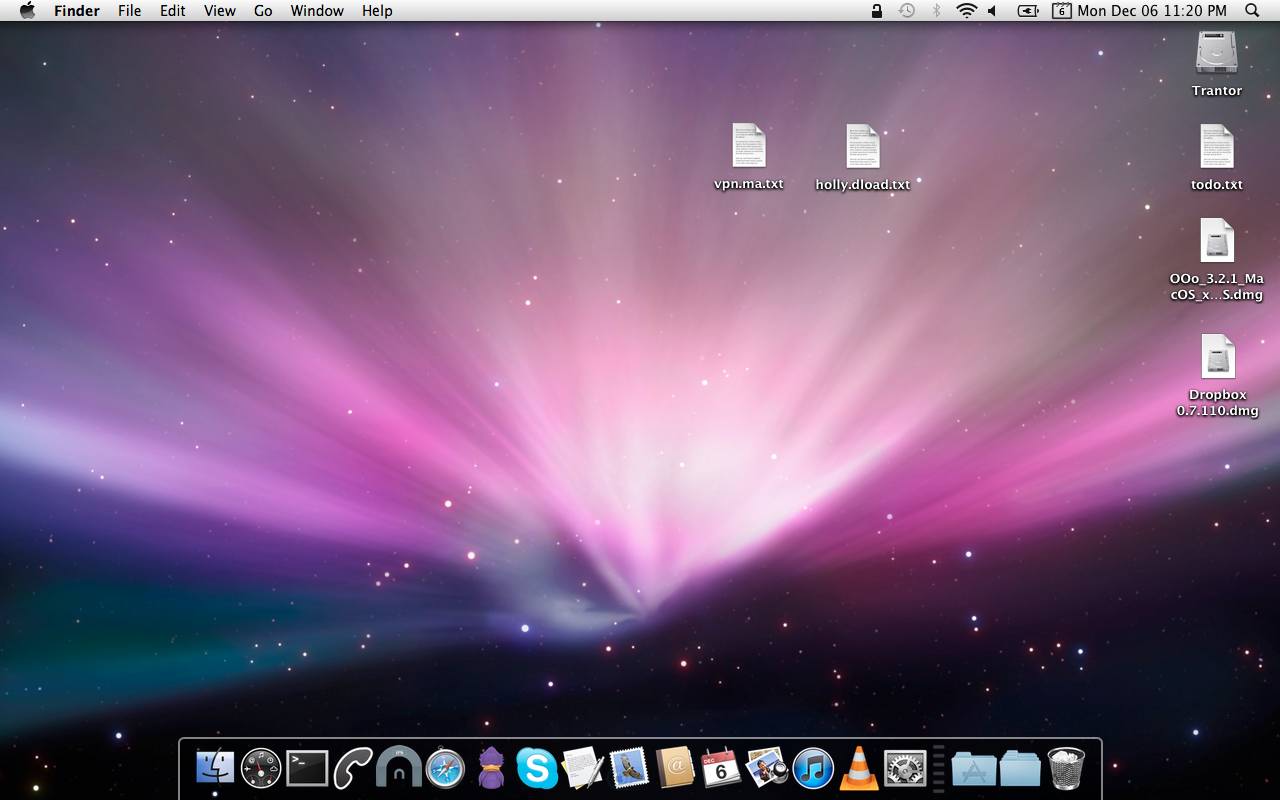
The current Trantor desktop


I have to say that when it comes to wallpapers, I'm a meat and potatoes kinda guy... The default just do the thing for me.

Labels: , , ,

Friday, December 03, 2010

The new Trantor (2)

A little more on setting up my beloved MBP.
Couple of more installed programs:

IP calculator Widget
UNIX perms calculator Widget
Telephone

And setting up the Dock the way I want it, not the ridiculous default new one:
defaults write com.apple.dock no-glass -boolean YES; killall Dock

Labels: , , , ,

Saturday, November 27, 2010

The fight continues...

Yeap, I still have this damn thing going around my head, I can't get it out of it... I simply hate the I-Beam cursor, there is no other way around that...
A couple of more links I've stumble upon the matter

Changing your mouse cursor (OSX 10.6)
OS X Mouse Pointers as a Metaphor

Labels: , , , , , , ,

Thursday, November 18, 2010

Su Mystery Theater (24)

The first -regular- updates I install on the Macbook Pro, aside, of course, from the very first ones installed after the initial installation...
So far things seem to be just dandy after the reboot.

Labels: , , ,